














Mounting a TV seems straightforward enough, doesn’t it? You find a wall, grab some screws, and Bob’s your uncle. But I’ve watched enough friends & neighbours turn their living rooms into disaster zones to know it’s not quite that simple. After years of seeing wonky televisions, cracked screens, and holes that look like someone attacked the wall with a pickaxe, I’ve compiled the most frequent blunders that’ll save you both money and sanity.
Trust me, I learned some of these lessons the hard way. My first attempt at TV mounting resulted in what my wife still calls “the great plasterboard catastrophe of 2019.” But these mistakes are entirely preventable if you know what to watch out for.
Choosing the Wrong Wall Location
The biggest mistake I see people make is falling in love with a wall position without considering the practicalities. Sure, that spot above the fireplace looks cinematically perfect, but your neck will hate you after a two-hour film. I’ve been to countless homes where the TV is mounted so high that watching it feels like front-row seats at the cinema — except less comfortable.
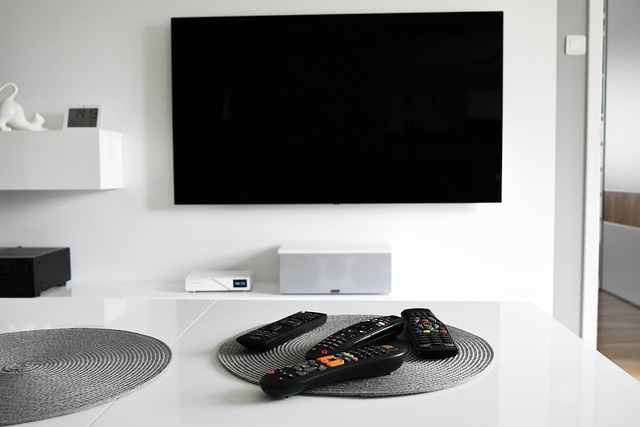
The ideal viewing height puts the centre of your screen at eye level when you’re seated. For most people, that’s about 42-48 inches from the floor to the middle of the TV. But here’s where things get tricky: you also need to consider lighting, power outlets, and cable management.
Windows are another consideration that people often overlook until it’s too late. Mounting your TV opposite a large window might seem fine until that afternoon sun turns your screen into an expensive mirror. I learned this lesson during a particularly frustrating World Cup match — couldn’t see a thing during the second half!
Think about your room’s layout too. Will furniture block the view? Can everyone in the room see comfortably? Sometimes the “perfect” wall isn’t so perfect after all.
Ignoring Weight Limits and VESA Standards
Here’s something that’ll make your blood run cold: TV brackets have weight limits, and exceeding them is like playing Russian roulette with expensive electronics. I’ve seen a 55-inch TV take a spectacular tumble because someone assumed their old bracket could handle the upgrade. The sound still haunts me.
VESA mounting patterns are another crucial detail that people gloss over. VESA (Video Electronics Standards Association) determines the spacing of mounting holes on the back of your TV. A 400x400mm VESA pattern means the mounting holes are arranged in a square, 400mm apart. Sounds simple, but buy the wrong bracket and you’ll be staring at holes that don’t line up.
Most modern TVs are surprisingly heavy, especially the larger models. A 65-inch TV can weigh anywhere from 25-35kg — that’s like mounting a medium-sized dog to your wall. The bracket needs to handle not just the static weight, but also the dynamic forces when someone accidentally knocks into it.
Always check your TV’s specifications before purchasing a bracket. The weight and VESA pattern should be clearly listed in the manual or on the manufacturer’s website. Don’t guess — measure and verify.
Failing to Locate Wall Studs Properly
This is where things get properly technical, and frankly, where most DIY disasters begin. Wall studs are the vertical wooden or metal supports inside your walls, and they’re what actually hold your TV up. Mounting into just plasterboard is like hanging a painting with sellotape — it might work temporarily, but it’s not ending well.
Stud finders can be unreliable, especially on textured walls or walls with multiple layers of paint. I’ve had stud finders confidently beep at spots that turned out to be absolutely nothing. The old-fashioned knocking method works better than you’d think — studs sound solid, whilst hollow areas sound, well, hollow.
UK homes often have studs spaced at 400mm or 600mm centres, but this isn’t universal. Older properties might have irregular spacing, and some walls might have steel studs instead of wooden ones. Steel studs require different screws and techniques.
If you can’t find studs in the right position for your bracket, you’ll need to use appropriate wall anchors. But here’s the thing — even the best plasterboard fixings have limits. They’re fine for smaller TVs, but anything over 32 inches really should go into studs for safety.
Using Incorrect Hardware and Fixings
The screws that come with your bracket might look substantial, but they’re often generic and may not be suitable for your specific wall type. UK homes have various wall constructions — solid brick, cavity walls, stud walls, concrete blocks — and each requires different fixings.
I once watched a neighbour use masonry bolts designed for concrete on a hollow stud wall. The bolts went straight through the plasterboard and disappeared into the cavity. Three hours later, he was still fishing around with a magnet trying to retrieve them.
Coach screws work brilliantly for wooden studs, but you need the right length. Too short and they won’t hold properly; too long and you might hit pipes or cables. For brick walls, you’ll want proper wall plugs and masonry screws. Cavity walls might need toggle bolts or spring anchors.
Don’t forget about the screws that attach your TV to the bracket either. These should definitely come with the bracket and match your TV’s mounting holes. Using random screws from your toolbox risks damaging the TV’s mounting points or creating an insecure connection.
Poor Cable Management Planning
Nothing ruins a sleek wall-mounted TV like a tangle of cables hanging down like electronic spaghetti. But cable management isn’t just about aesthetics — it’s about functionality and safety too. Cables that are too tight can get damaged; cables that are too loose create a mess.
The best time to plan cable routing is before you drill any holes. You’ll likely need power, HDMI, aerial, and possibly ethernet connections. Some people run cables through the wall cavity, which looks cleanest but requires more work and potentially building regulations compliance.
Trunking is often the more practical solution — plastic channels that hide cables against the wall. It’s not as invisible as in-wall routing, but it’s much easier to modify later. Plus, you can easily add or remove cables without tearing into walls.
Consider future needs too. That single HDMI cable might be sufficient now, but what about when you add a soundbar, games console, or streaming device? Planning ahead saves you from having to redo everything later.
Inadequate Tools and Preparation
I’ve seen people attempt TV mounting with nothing but a basic drill and a screwdriver. While enthusiasm is admirable, inadequate tools lead to inadequate results. You need a proper masonry bit for brick walls, a level (preferably a long one), measuring tape, pencil for marking, and safety equipment.
A decent impact driver makes a massive difference when driving screws into studs or masonry. Standard drills often struggle with the torque required, leading to stripped screws or incomplete installation. If you’re drilling into brick or concrete, a hammer drill is pretty much essential.
Don’t underestimate the importance of safety gear either. Safety glasses are crucial when drilling overhead, and dust masks help when working with masonry. I learned this after spending an evening coughing up brick dust — not pleasant.
Preparation also means having spare screws, wall plugs, and drill bits. Murphy’s Law guarantees that you’ll strip at least one screw or break a drill bit at the worst possible moment. Having spares saves a frustrating trip to the hardware store mid-installation.
Rushing the Installation Process
Perhaps the most dangerous mistake is rushing through the installation. I get it — you’re excited to see your new TV mounted and working. But hasty installations lead to costly mistakes. Take time to double-check measurements, verify stud locations, and ensure everything is level.
The “measure twice, cut once” principle applies perfectly here. Once you’ve drilled holes in your wall, there’s no undoing them. A slightly crooked TV will annoy you every time you watch it, and fixing it means more holes in the wall.
Test your bracket thoroughly before hanging the TV. Mount it to the wall and check that it’s secure. Make sure any tilt or swivel mechanisms work smoothly. It’s much easier to make adjustments without a heavy TV attached.
Don’t forget to have someone help you lift and position the TV. Even smaller TVs are awkward to handle alone, and larger ones are genuinely dangerous. A second pair of hands makes the job safer and more manageable.
Final Thoughts
TV mounting might look like a simple weekend project, but it’s one of those jobs where small mistakes can have expensive consequences. Getting it wrong doesn’t just mean a wonky TV — it can mean damaged walls, broken electronics, or even injury.
Avoiding these common pitfalls is key to a successful installation. If you’re not confident in handling all these steps, a TV mounting service can take the guesswork out of the process. I’ve always found that relying on experts for specialised jobs is the smartest way to avoid costly mistakes.
The peace of mind alone is worth it. Professional installers have the right tools, experience with different wall types, and insurance coverage if something goes wrong. Sometimes the best DIY decision is knowing when not to DIY.

| [donate]
| Help keep news FREE for our readersSupporting your local community newspaper/online news outlet is crucial now more than ever. If you believe in independent journalism,then consider making a valuable contribution by making a one-time or monthly donation. We operate in rural areas where providing unbiased news can be challenging. |